
Business management, built by CAQA
Run the whole business from one calm place.
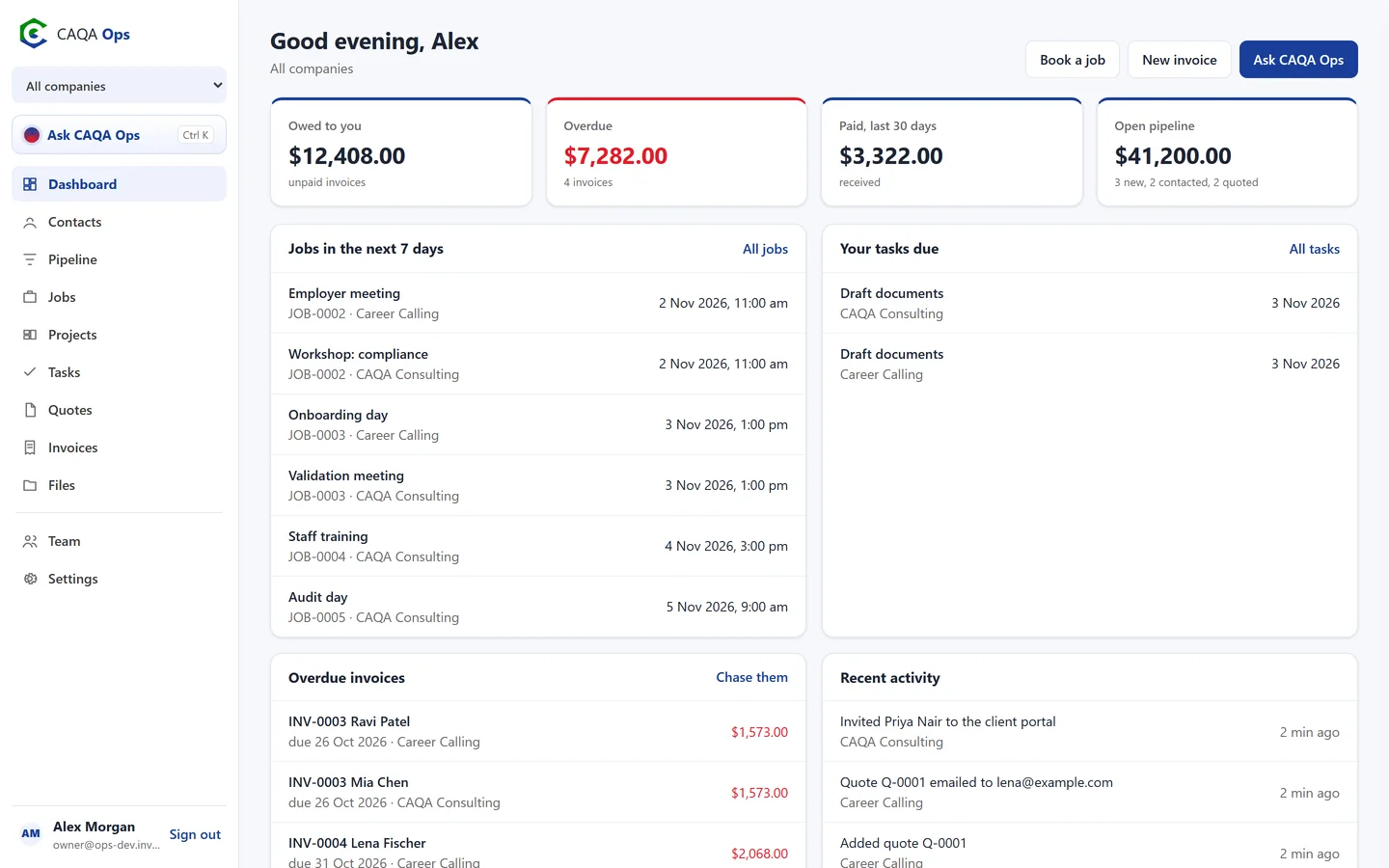
Clients, leads, jobs, quotes, invoices, projects, files and your team, together. Ask CAQA Ops what you need in plain English, and approve what it does.
- GST ready quotes and invoices
- Free client portal
- Approve before it acts
- Desktop, tablet and phone
Built for the businesses of CAQA Groups and ready for yours.
- Training
- Recruitment
- Consulting
- Field services
- Health and care
- Education
Ask CAQA Ops
Just ask. Then approve.
Questions get answers from your real records. Requests become cards you approve with one click. Pick one to see how it works.
- Priya Nair, $2,068.00, overdue since 31 Oct
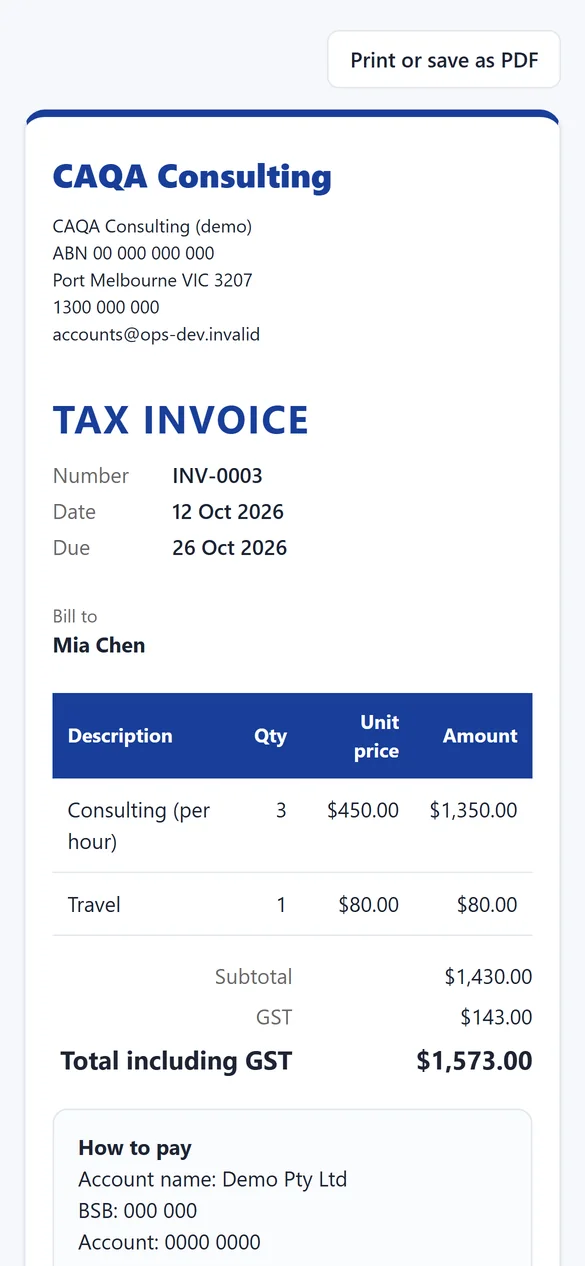
- Mia Chen, $1,573.00, overdue since 26 Oct
- Tom Becker, $2,563.00, due 5 Nov
Send a friendly reminder to Priya and Mia
Done. Logged in the activity feed.
Talk to it too: tap the microphone, or say "Hey CAQA".
How the work flows
From first enquiry to paid, without the double handling.
Every step hands its details to the next, so nobody types the same thing twice.
Everything in one place
All the tools a busy business needs.
Switch on what each company uses and leave the rest out of the way.
Ask CAQA Ops
Ask who owes you, what is on this week, or tell it to book, quote and invoice. Every change waits for your OK.
ExploreClients and pipeline
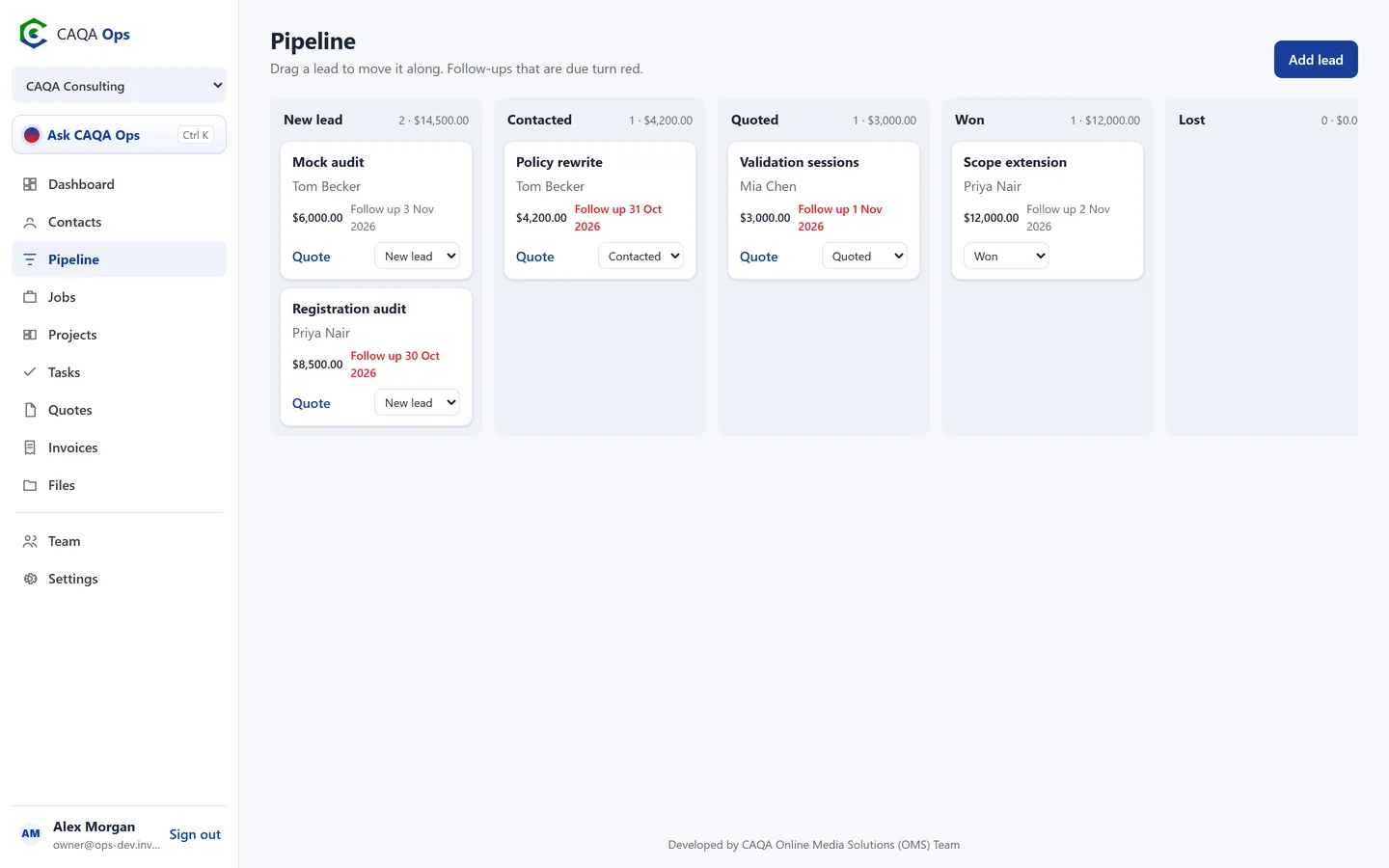
A clean client list with full history, and a pipeline board that tells you who to call next.
ExploreJobs and bookings
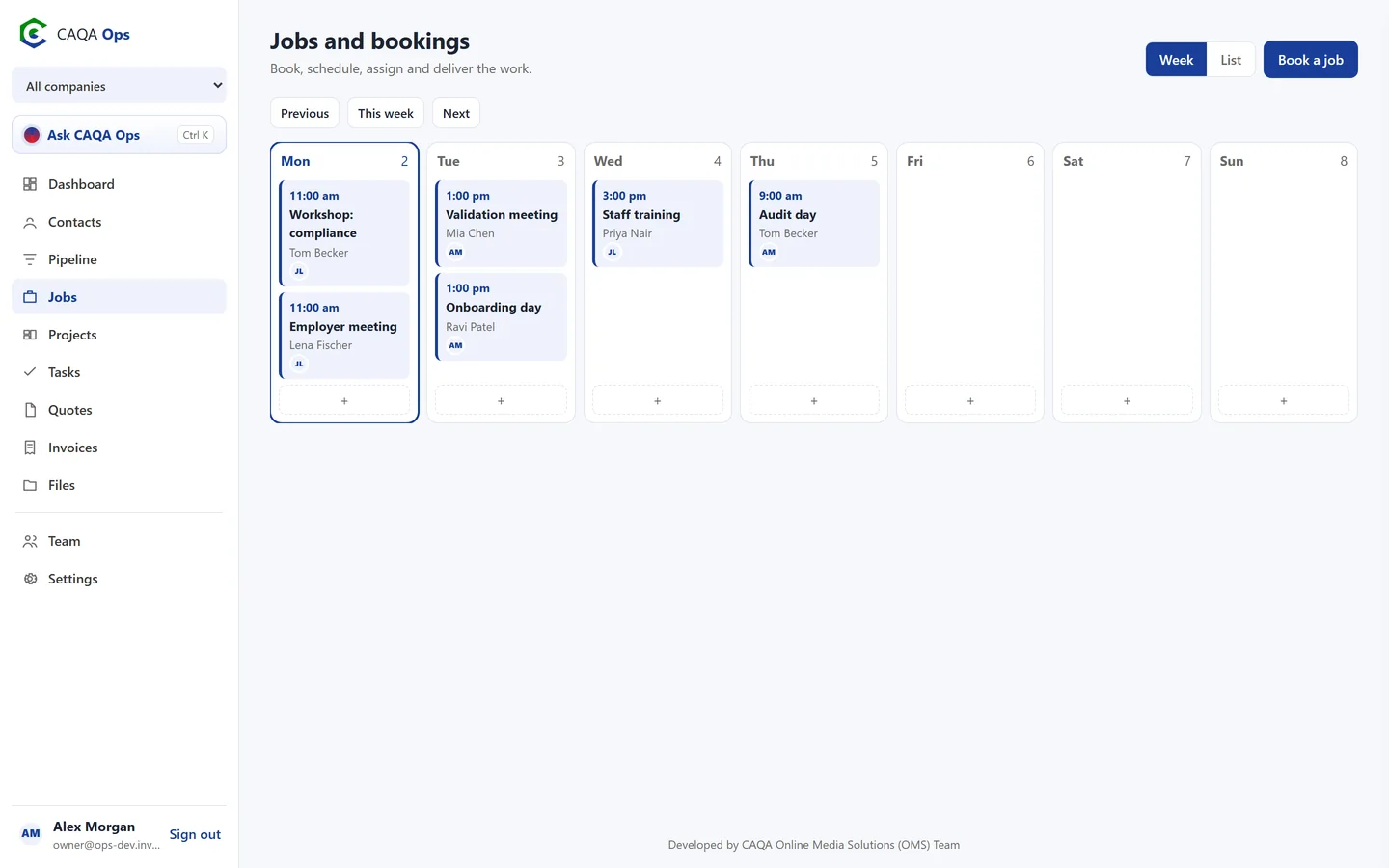
A week calendar for every booking, with the right people assigned and clear status from enquiry to done.
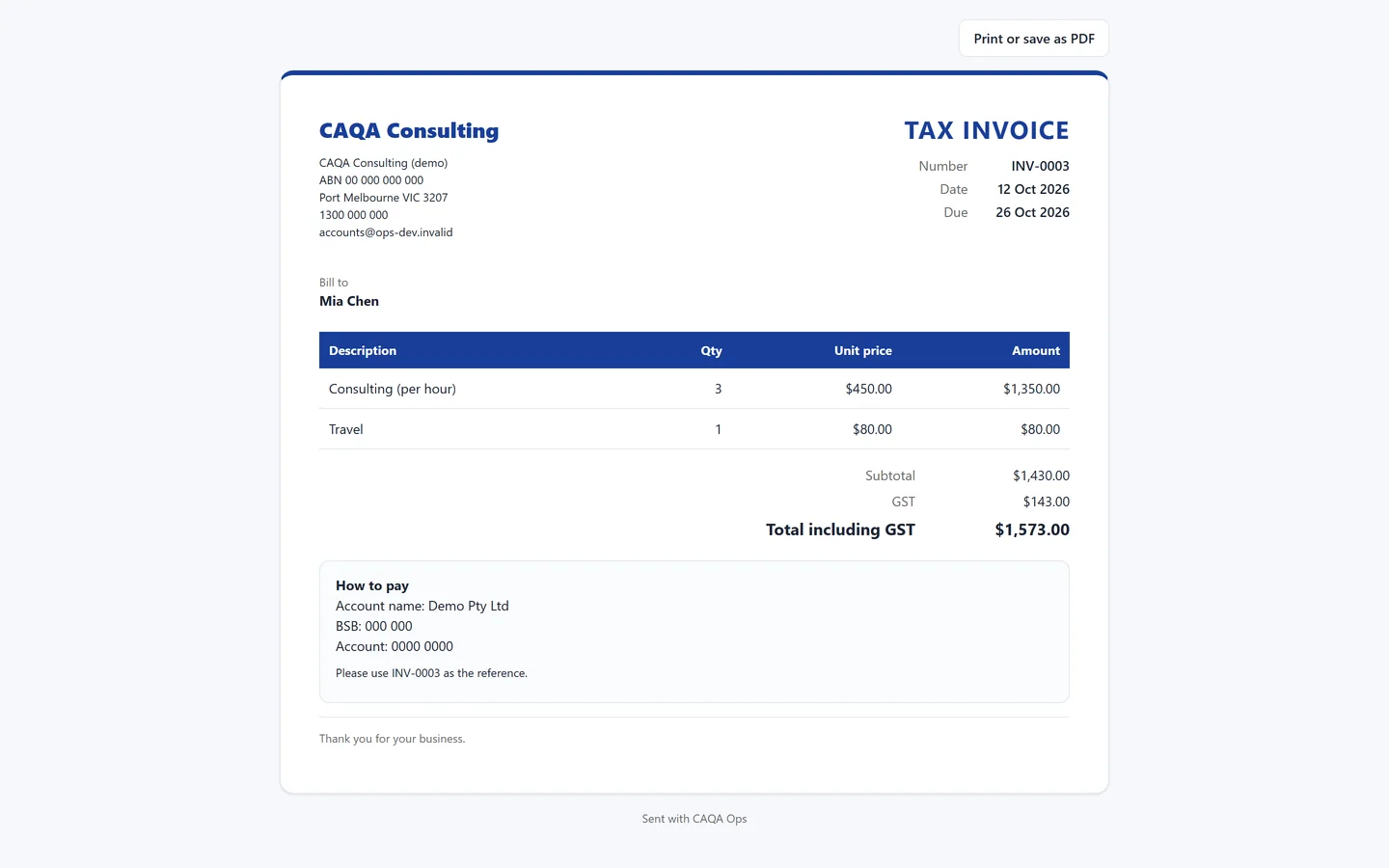
ExploreQuotes and invoices
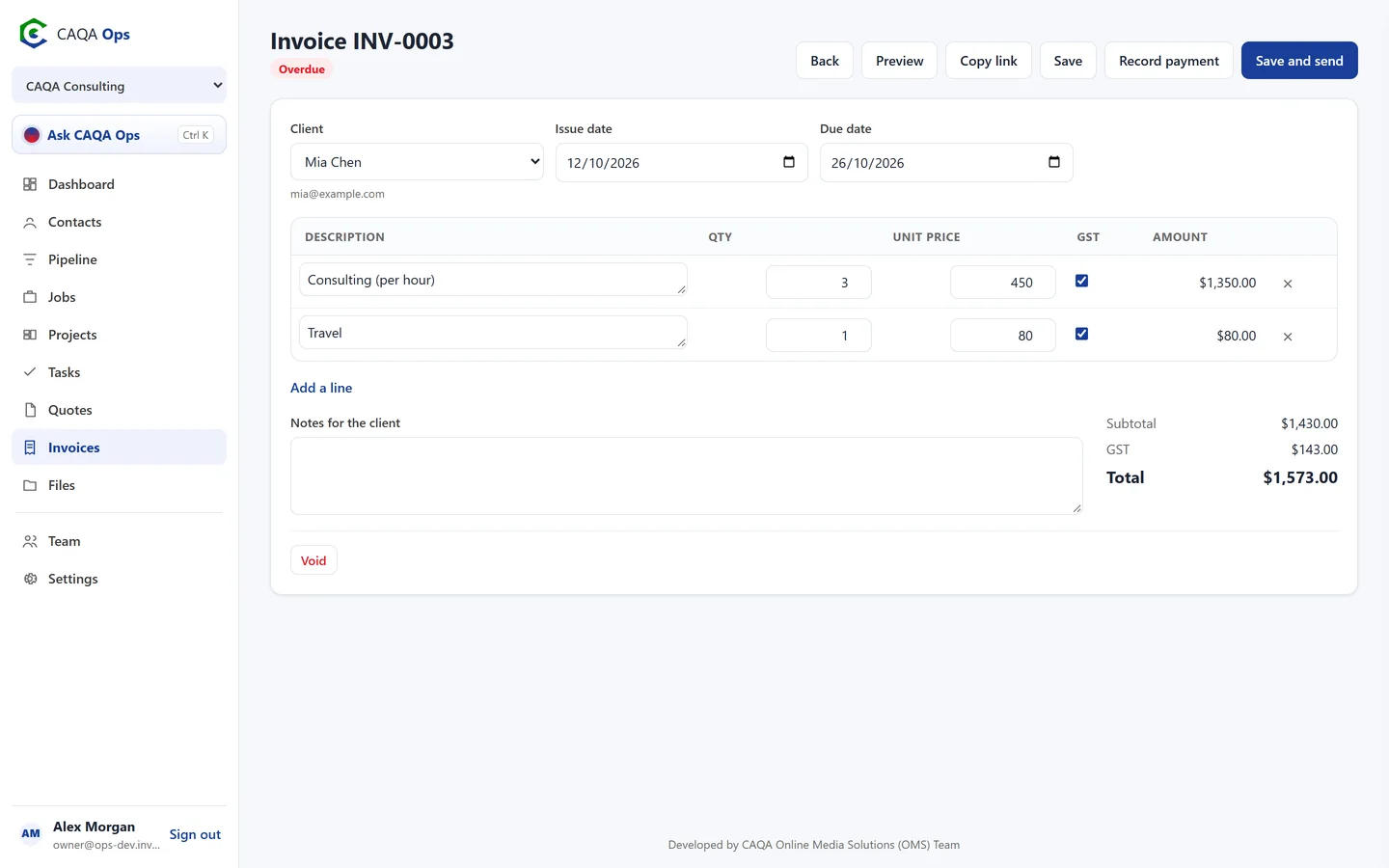
GST worked out for you, emailed links clients can accept or pay, and reminders that chase overdue invoices.
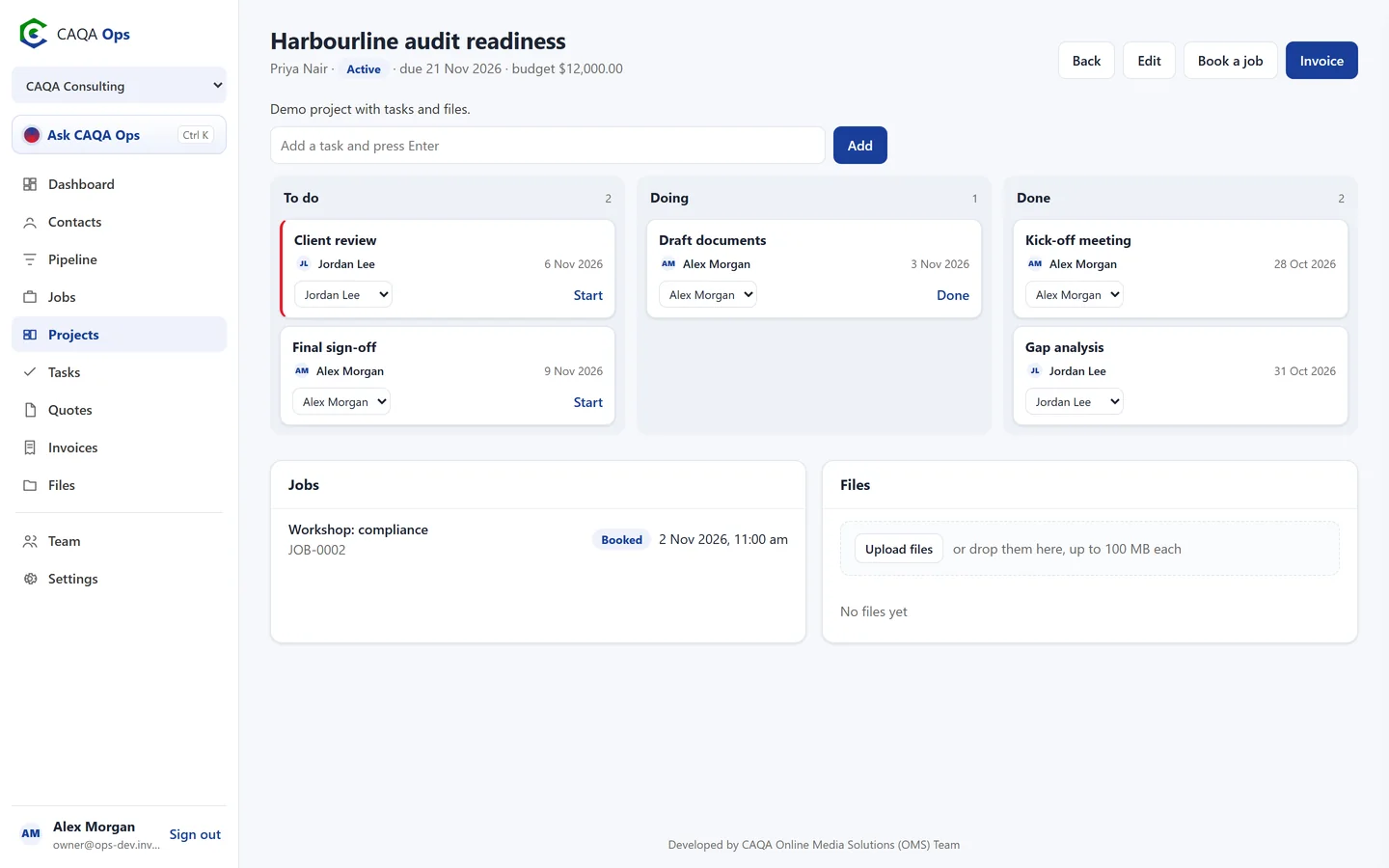
ExploreProjects and tasks
Task boards for bigger work, a personal task list for everyone, and a morning summary of what is due.
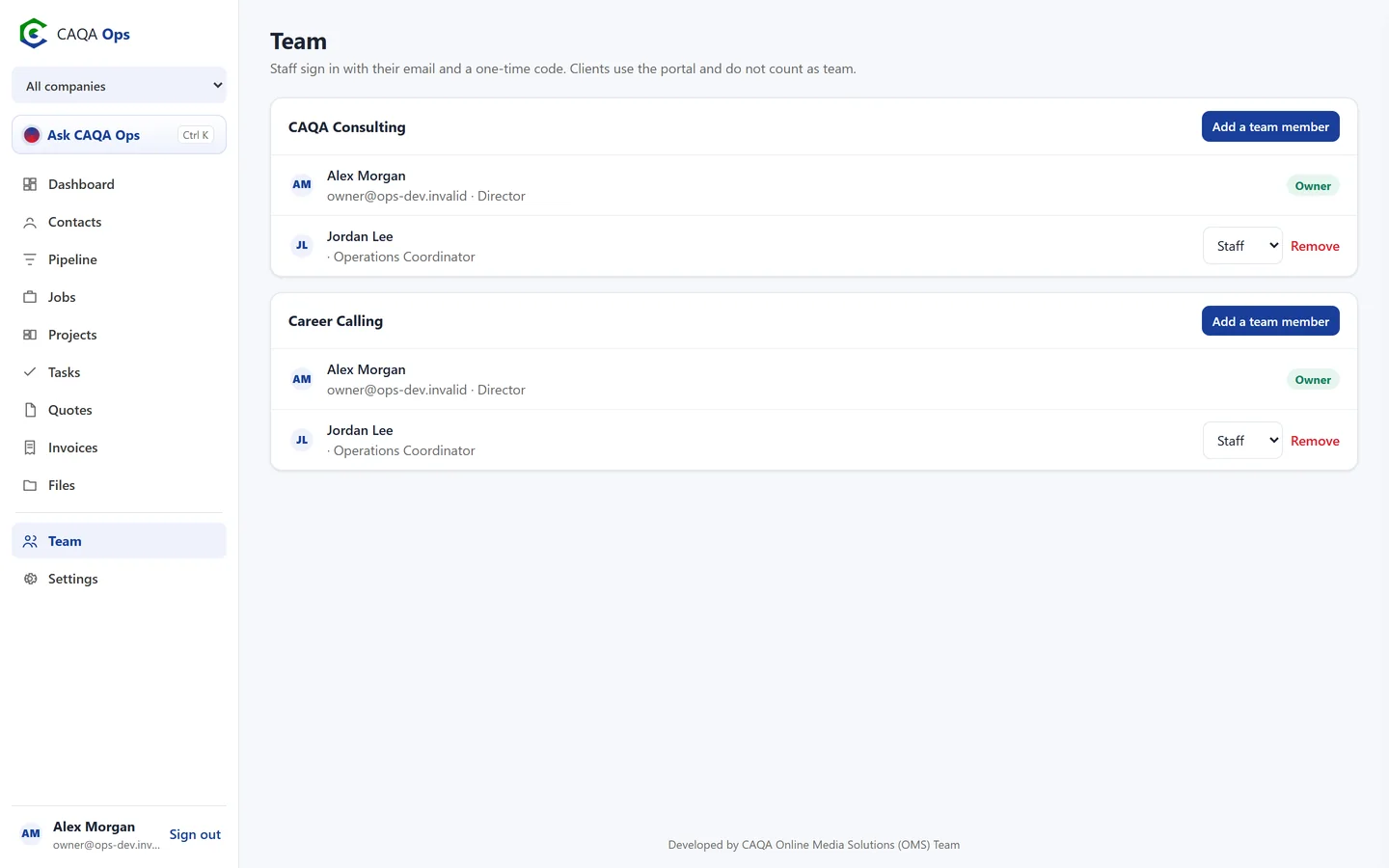
ExploreClient portal
Clients see their invoices, quotes, bookings and shared files, and pay online. Client logins are always free.
ExploreMulti company
Keep each business separate, switch in a click, or see them all together on one dashboard.
ExploreTeam and files
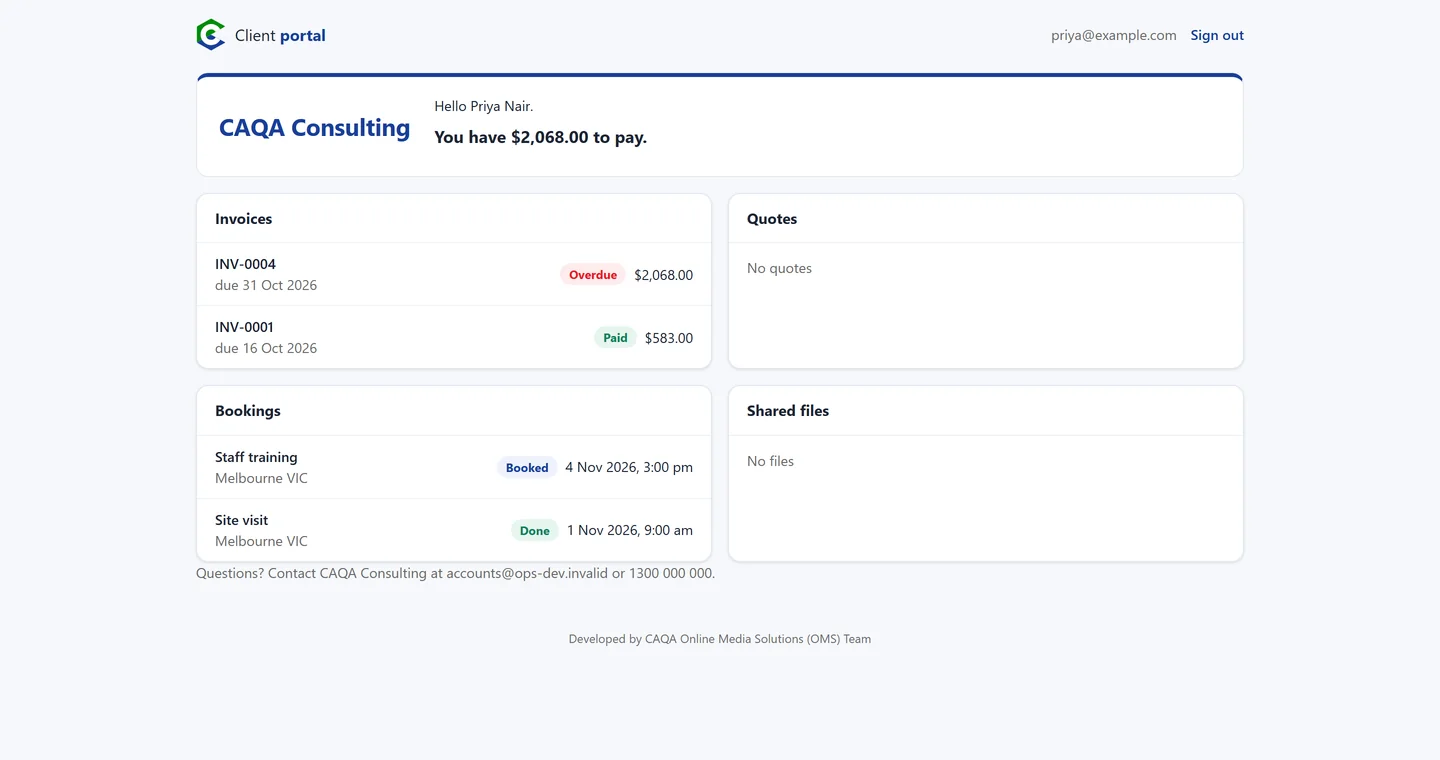
Invite staff by email, set them as owner, admin or staff, and keep documents safe and shareable.
ExploreMulti company
One login for every company you run.
Each business keeps its own clients, numbering, GST setting, branding and team. Switch in a click, or choose All companies and see the whole group on one dashboard.
- Records kept separate per company
- Money owed and pipeline across the group
- Own invoice numbering and branding
Client portal
Your clients get a portal. Free.
Clients sign in with a code from their email and see their invoices, quotes, bookings and shared files. They pay by card and accept quotes from the same place.
- No passwords for clients
- Pay online and accept quotes
- Client logins never cost a seat
Made for your industry
Shaped around the way you work.
Training and RTOs
Book training sessions and assessments, quote corporate clients, invoice employers and keep course files with each project.
Recruitment
Track employer leads, book interviews and onboarding days, invoice placement fees and share documents with clients.
Consulting and advisory
Run audits and engagements as projects, bill by the hour, and keep every client conversation in one record.
Trades and field services
Schedule jobs across the week, assign crews, quote on the spot and invoice the moment the job is done.
Health and care
Book appointments and visits, manage client records and invoice funders or families with GST free lines.
Education and tuition
Schedule classes and tutors, invoice families each term and share learning resources through the portal.
Safe by design
Your records, your rules.
Nothing changes without you
The assistant proposes. You approve. Every action is logged.
Separate by company
Each company's records are visible only to that company's team.
No passwords to leak
Everyone signs in with a one-time code sent to their email.
Private links and files
Invoice links cannot be guessed and files stay private until shared.
Questions
Good questions, straight answers.
Who is CAQA Ops for?
Any business that books work, sends quotes and invoices and manages a team. It was built for the CAQA Groups companies, so it is especially at home in training, recruitment, consulting and professional services.
Does the assistant change things on its own?
No. It can look things up straight away, but anything that would change your records or send something is shown as a card first. Nothing happens until you approve it.
Can I run more than one business?
Yes. Each company keeps its own clients, jobs, invoices, numbering, GST setting, branding and team. Switch between them or see them all together.
Does it handle GST?
Yes. Enter prices excluding GST and CAQA Ops adds GST to taxable lines. You can mark individual lines GST free, and companies that are not registered for GST simply switch it off.
Can clients pay online?
Yes. Connect your payments account and clients can pay invoices by card from the emailed link or their portal. Paid invoices mark themselves paid.
Do clients cost extra?
No. Client portal logins are free and never count towards your team.
See CAQA Ops on your own work
Book a short walkthrough. We will set up your company with you, invite your team and show you how the assistant fits your day.