
Quotes and invoices
Quote fast. Invoice right. Get paid sooner.
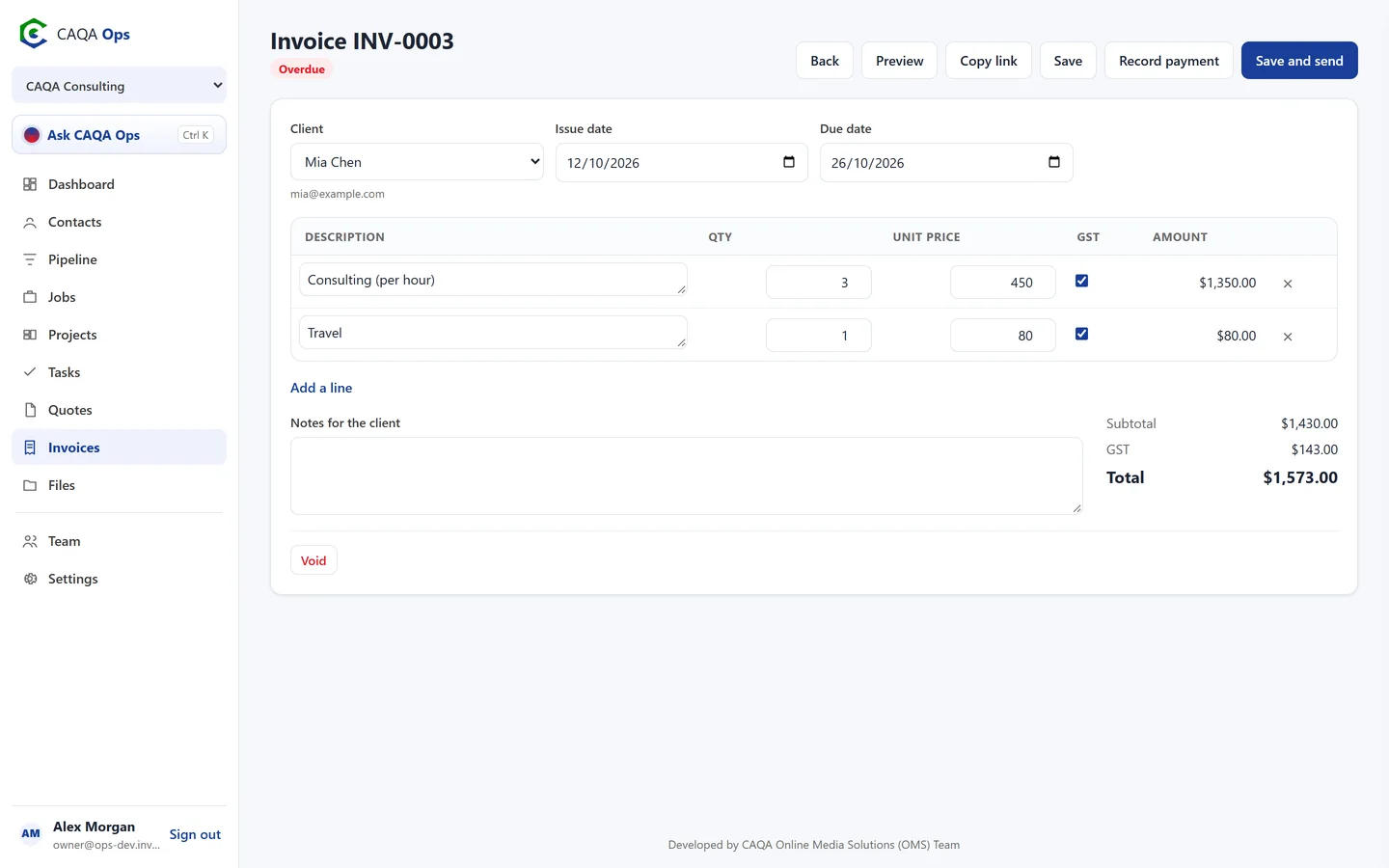
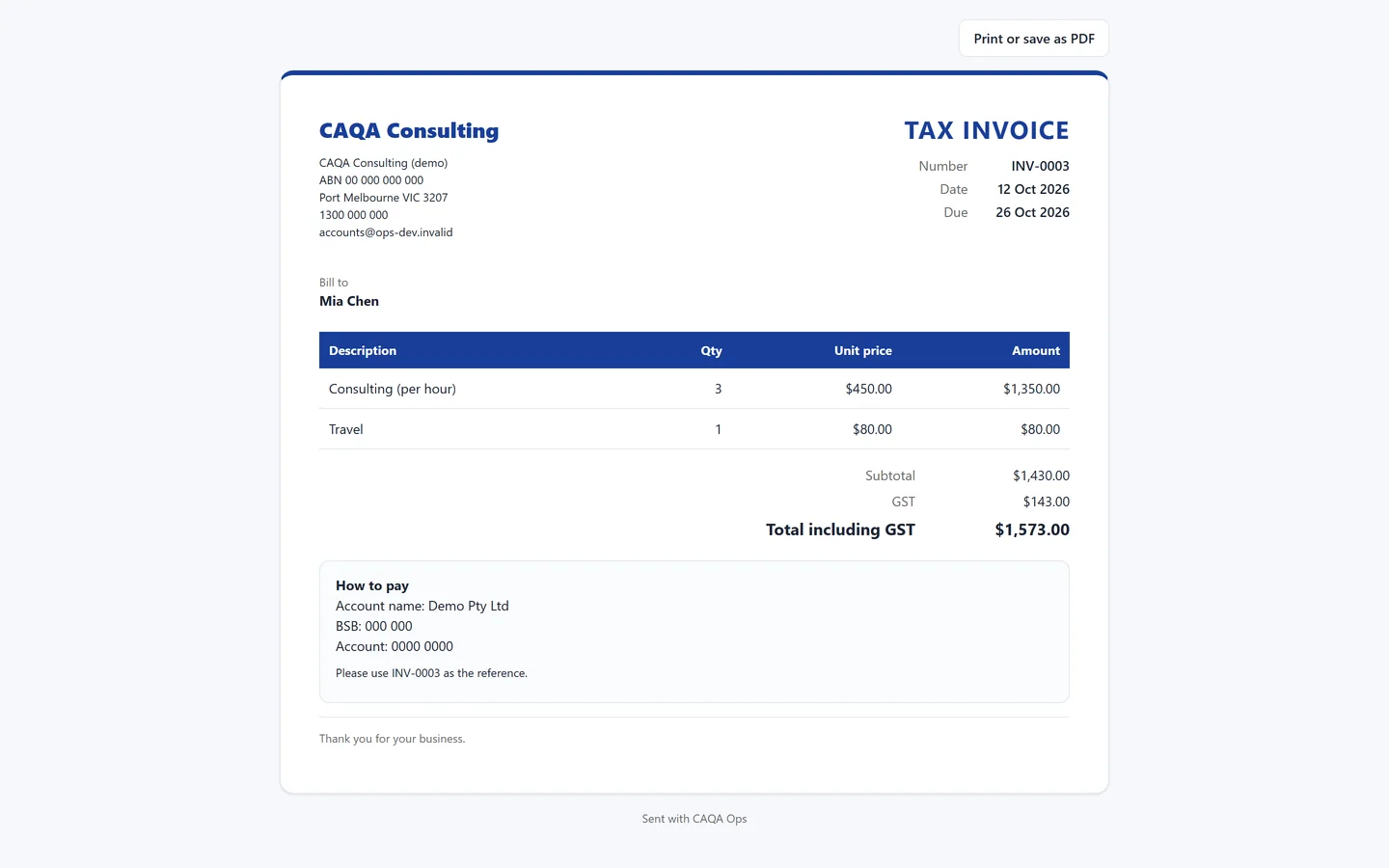
Create professional quotes and tax invoices in moments. Clients open them from an email link, accept quotes online and pay invoices by card. Overdue invoices are chased for you.
What it does
The functions you will use every day
GST done for you
Prices go in excluding GST and the GST, subtotal and total are calculated automatically. Mark lines GST free when needed.
Your numbering, your branding
Set your own prefixes and numbers, add your logo, brand colour, bank details and footer.
Email with a link
Clients get a tidy email with a button to view the quote or invoice. They can print it or save it as a PDF.
Accept quotes online
Clients accept or decline from the link and you are told straight away. Convert accepted quotes to invoices in one click.
Card payments
Connect your payments account and clients can pay online. Paid invoices mark themselves paid.
Chasing on autopilot
Friendly reminders go out on overdue invoices at the interval you choose, stop after the number you set, then tell you it is time to call.
Recurring invoices
Retainers, memberships and term fees raise themselves on schedule and can email themselves too.
PDF copies
Attach a PDF to every email, or download one any time. Your wording for each email can be changed.
How it works
Three steps, and you are done
- 1
Add the client and line items
- 2
Save and send
- 3
Client accepts or pays from the link
Works with
Connected to the rest of CAQA Ops
Ask CAQA Ops
Ask who owes you, what is on this week, or tell it to book, quote and invoice. Every change waits for your OK.
ExploreClients and pipeline
A clean client list with full history, and a pipeline board that tells you who to call next.
ExploreJobs and bookings
A week calendar for every booking, with the right people assigned and clear status from enquiry to done.
ExploreSee CAQA Ops on your own work
Book a short walkthrough. We will set up your company with you, invite your team and show you how the assistant fits your day.