
Clients and pipeline
Every client, every lead, every follow-up.
Keep clients and prospects in one place, see everything you have done with them, and move each lead from first contact to won work without losing track.
What it does
The functions you will use every day
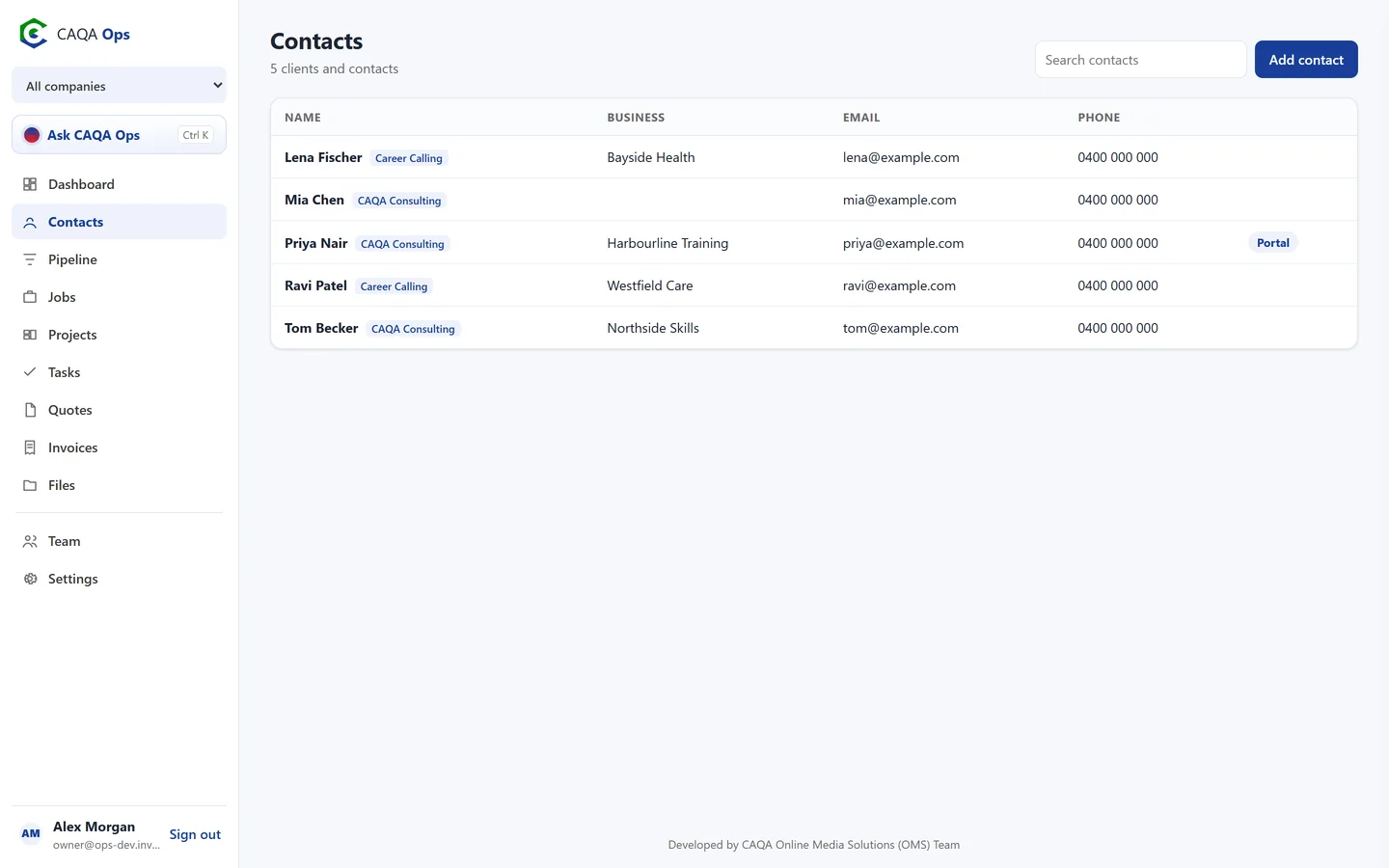
Client records with history
Contact details, ABN, notes, and every quote, invoice, job and project for that client on one page, with the amount they owe.
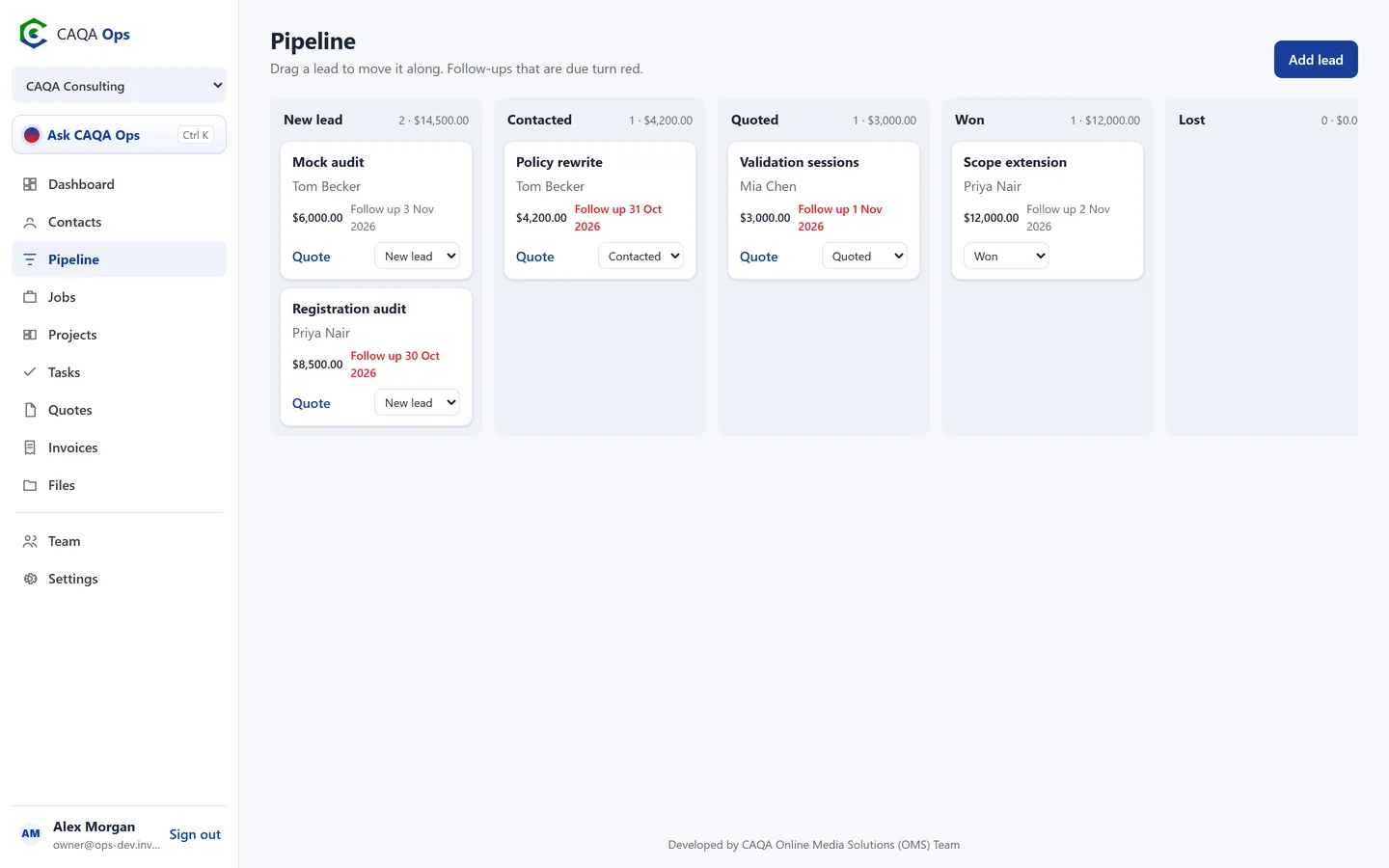
Drag and drop pipeline
New, contacted, quoted, won and lost, with the value of each column added up for you.
Follow-up dates
Set when to get back to someone. Follow-ups that are due turn red, so nothing slips.
Quote straight from a lead
One click starts a quote for the lead and its client, linked back to the deal.
Won work flows on
Book the job, open a project or raise the invoice from the same record.
Client portal invitations
Give a client their own portal login from their record whenever you are ready.
How it works
Three steps, and you are done
- 1
Add a client or lead
- 2
Move the lead as the conversation moves
- 3
Quote, win and book the work
Works with
Connected to the rest of CAQA Ops
Ask CAQA Ops
Ask who owes you, what is on this week, or tell it to book, quote and invoice. Every change waits for your OK.
ExploreJobs and bookings
A week calendar for every booking, with the right people assigned and clear status from enquiry to done.
ExploreQuotes and invoices
GST worked out for you, emailed links clients can accept or pay, and reminders that chase overdue invoices.
ExploreSee CAQA Ops on your own work
Book a short walkthrough. We will set up your company with you, invite your team and show you how the assistant fits your day.