
Projects and tasks
Plans, tasks and files that keep moving.
Run bigger pieces of work as projects with clear tasks, owners and due dates. Everyone gets their own list of what is due, and a morning email if they want one.
What it does
The functions you will use every day
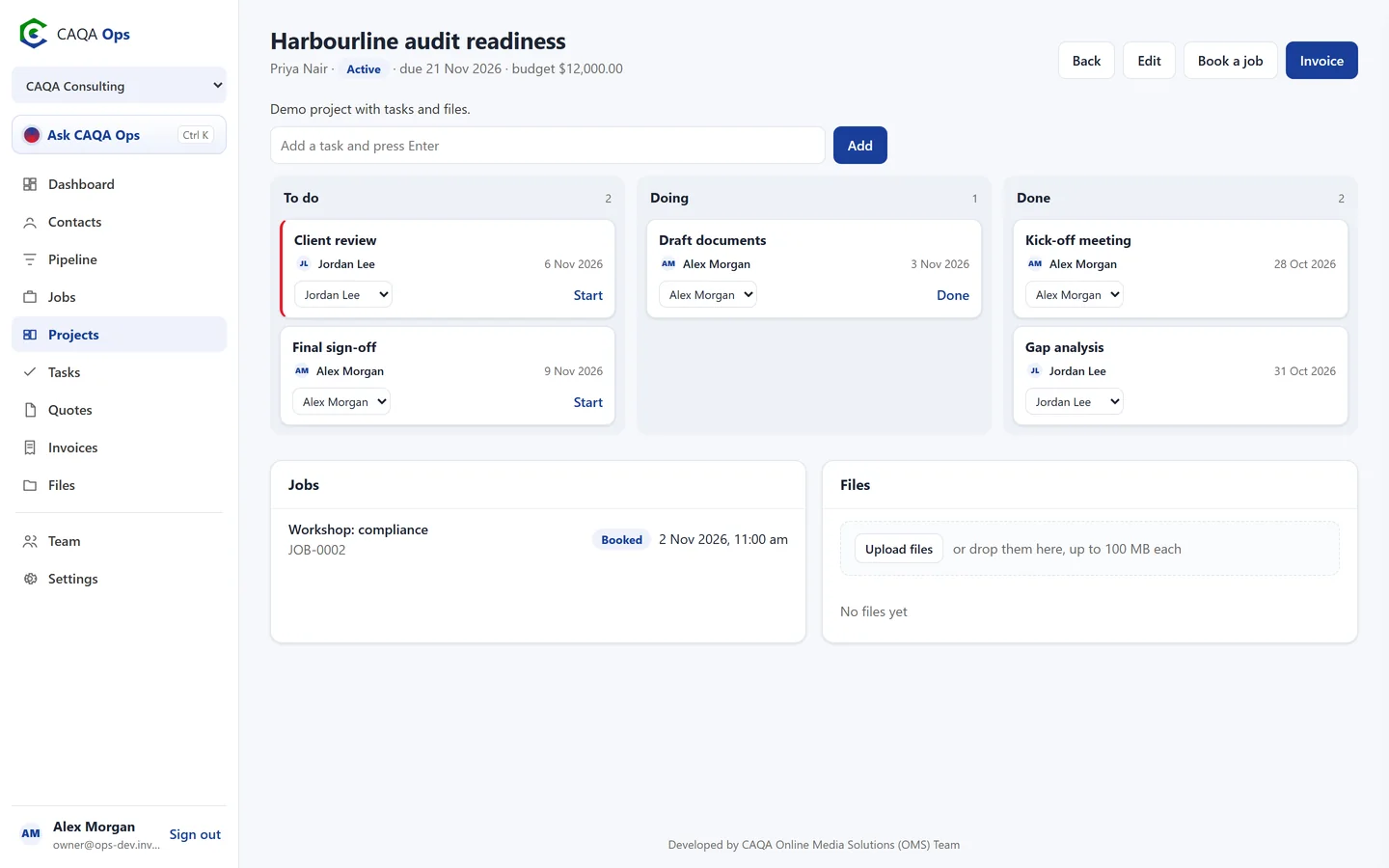
Task boards
To do, doing and done. Drag tasks across, assign them and set due dates.
Progress at a glance
Each project shows how many tasks are done, its due date and budget.
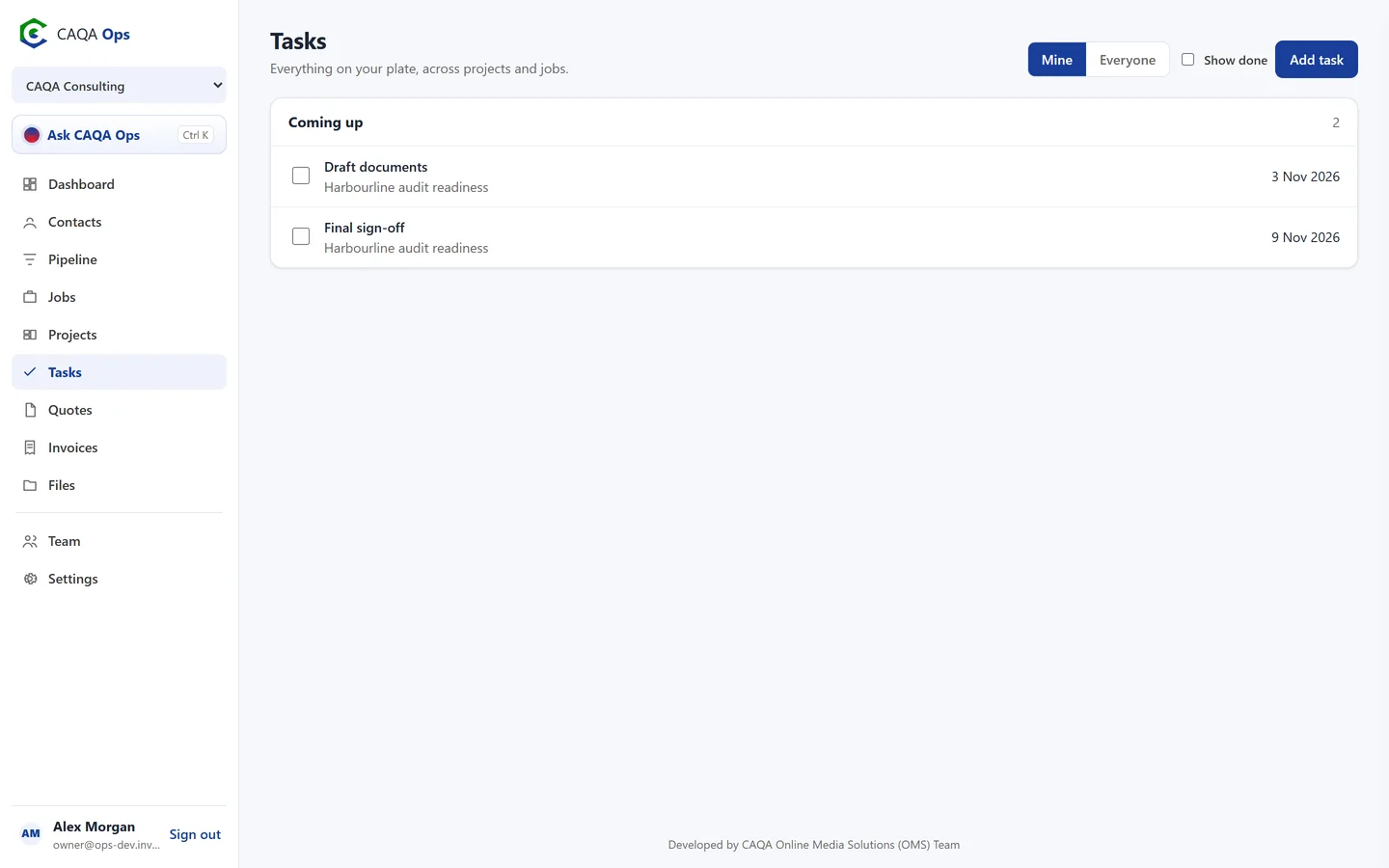
My tasks
Everything on your plate across all projects, grouped into overdue, today, coming up and no date.
Morning summary
An optional email each morning with today's jobs, the tasks you have due and any overdue invoices.
Files with the work
Upload plans, photos and documents to a project, and share the right ones with the client.
Jobs and invoices linked
Book jobs and raise invoices for a project so the whole story sits together.
How it works
Three steps, and you are done
- 1
Create the project
- 2
Add tasks and owners
- 3
Work the board until it is done
Works with
Connected to the rest of CAQA Ops
Ask CAQA Ops
Ask who owes you, what is on this week, or tell it to book, quote and invoice. Every change waits for your OK.
ExploreClients and pipeline
A clean client list with full history, and a pipeline board that tells you who to call next.
ExploreJobs and bookings
A week calendar for every booking, with the right people assigned and clear status from enquiry to done.
ExploreSee CAQA Ops on your own work
Book a short walkthrough. We will set up your company with you, invite your team and show you how the assistant fits your day.