
Ask CAQA Ops
Ask in plain English. Approve before anything changes.
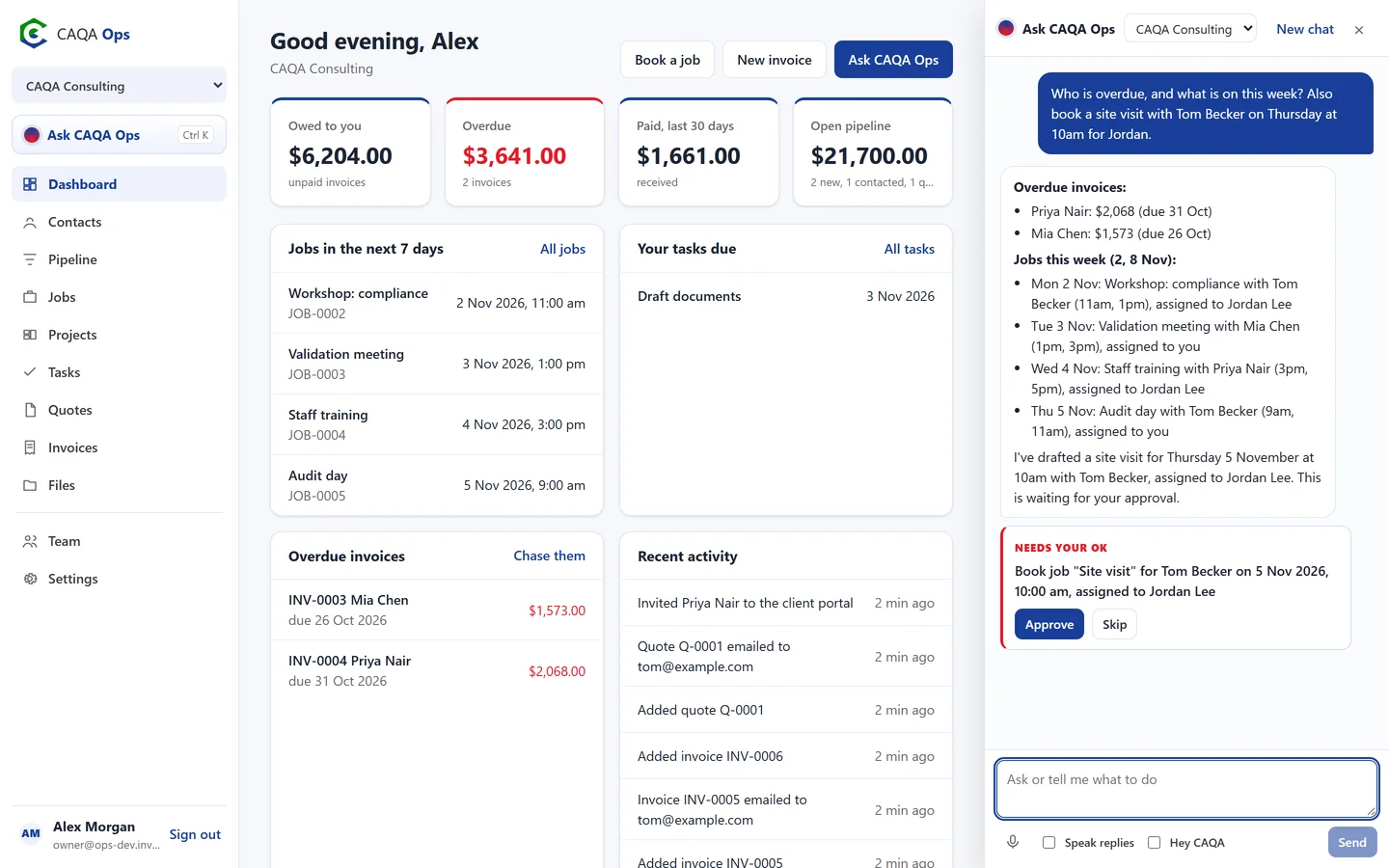
CAQA Ops has an assistant built in. Ask a question and it looks up your real records. Ask it to do something and it lines the work up as a card you approve with one click. Nothing is booked, sent or changed until you say so.
What it does
The functions you will use every day
Answers from your own records
Who owes us money, which leads need a follow-up, what the team is doing this week, how the business is tracking this month.
Does the busy work
Books jobs and assigns staff, drafts quotes and invoices, records payments, adds clients and leads, creates tasks and sends emails.
Approval cards
Each action shows exactly what will happen, for example "Book Site visit for Tom Becker on 5 Nov, 10:00 am, assigned to Jordan Lee". Approve or skip.
Talk to it
Tap the microphone, or switch on "Hey CAQA" and just say what you need. It can read its answers aloud.
Writes for you
Follow-up emails, payment reminders, social captions and client updates, in a clear Australian voice.
Private by design
Runs on the CAQA private model, or on your own AI account if you prefer. Each company can choose.
Remembers your chats
Pick up an earlier conversation on any device, and find files by asking for them.
Reports on schedule
Ask for a daily or weekly email with money owed, jobs, leads and approvals waiting.
How it works
Three steps, and you are done
- 1
Press Ask CAQA Ops, or Ctrl K
- 2
Type or say what you need
- 3
Read the answer, approve the actions
Works with
Connected to the rest of CAQA Ops
Clients and pipeline
A clean client list with full history, and a pipeline board that tells you who to call next.
ExploreJobs and bookings
A week calendar for every booking, with the right people assigned and clear status from enquiry to done.
ExploreQuotes and invoices
GST worked out for you, emailed links clients can accept or pay, and reminders that chase overdue invoices.
ExploreSee CAQA Ops on your own work
Book a short walkthrough. We will set up your company with you, invite your team and show you how the assistant fits your day.