
Campaigns and social
Stay in touch, the right way.
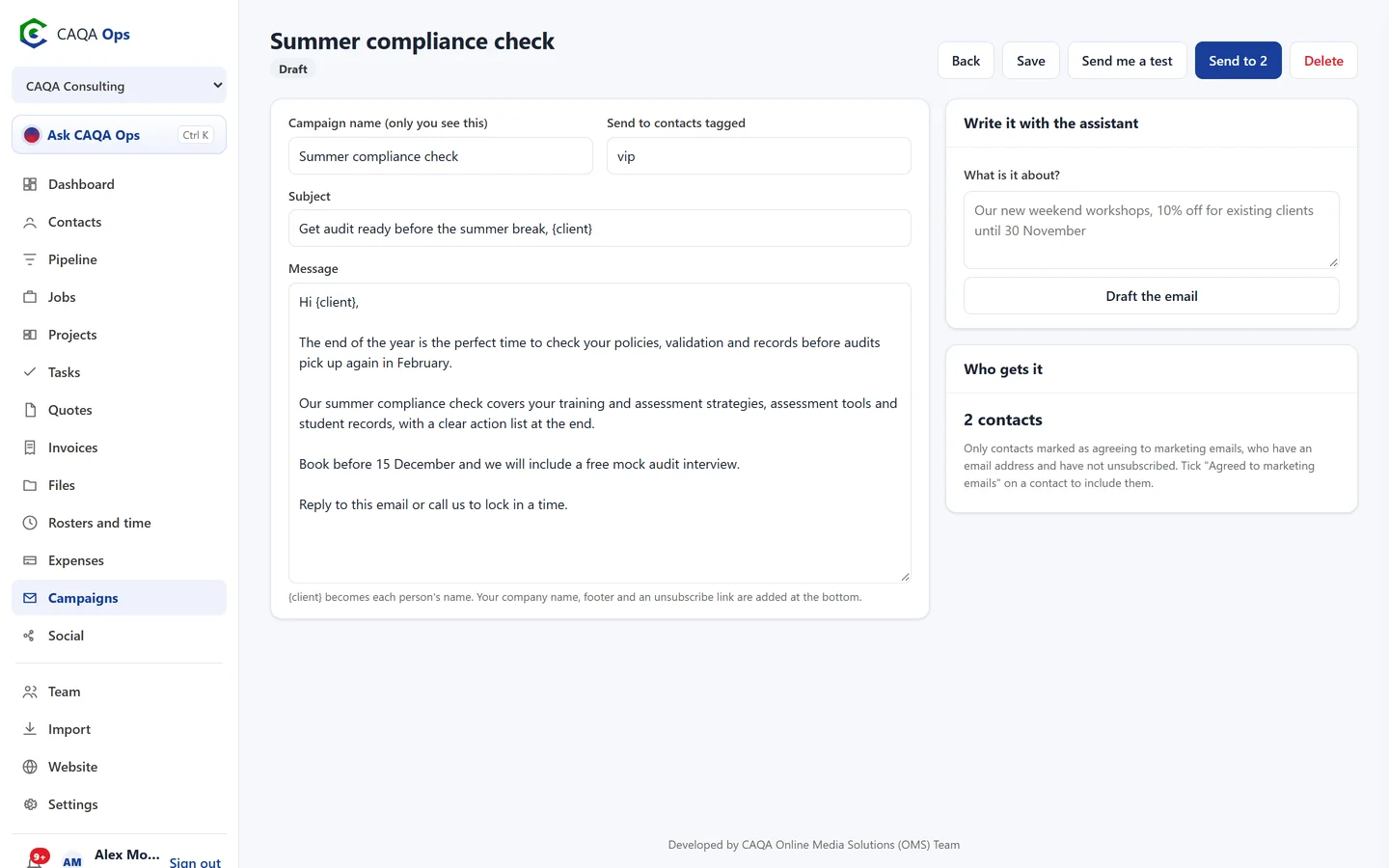
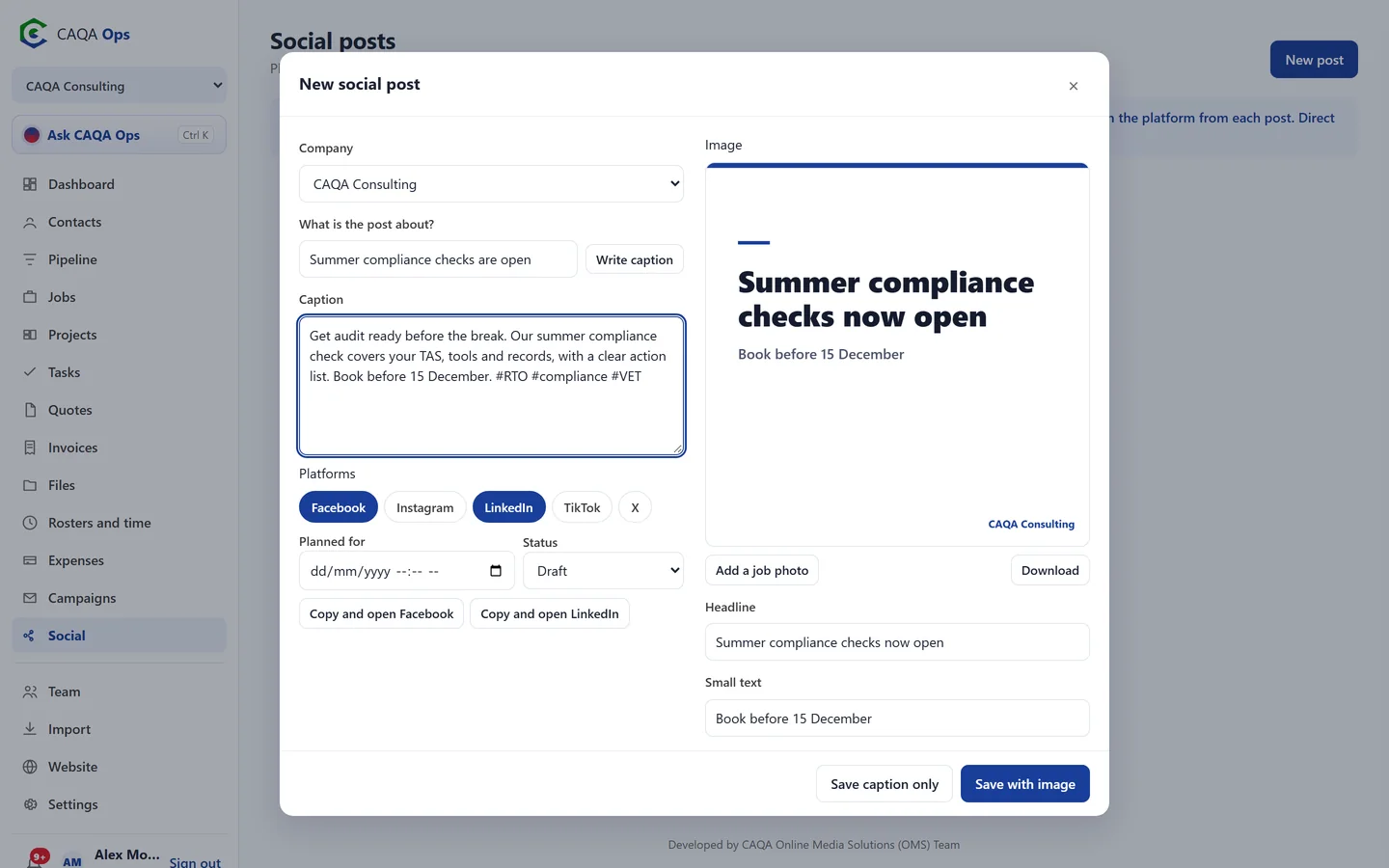
Send newsletters and offers to clients who have agreed to receive them, with an unsubscribe link on every email. Plan social posts, turn job photos into branded images and let the assistant write the words.
What it does
The functions you will use every day
Consent first
Campaigns only go to contacts marked as agreeing to marketing emails, and anyone who unsubscribes is never emailed again.
Written with you
Describe the email in a sentence and the assistant drafts the subject and message. You edit and send.
Send a test first
Send yourself a copy, then send to everyone in the background.
Target by tag
Send to everyone who agreed, or only contacts with a tag such as vip or sydney.
Branded post images
Add a job photo, a headline and your logo, choose a layout and download a square image ready to post.
Captions and planning
The assistant writes captions with hashtags. Plan posts by date and platform, then copy and post.
How it works
Three steps, and you are done
- 1
Describe what you want to say
- 2
Check the draft and send a test
- 3
Send it or schedule the post
Works with
Connected to the rest of CAQA Ops
Ask CAQA Ops
Ask who owes you, what is on this week, or tell it to book, quote and invoice. Every change waits for your OK.
ExploreClients and pipeline
A clean client list with full history, and a pipeline board that tells you who to call next.
ExploreJobs and bookings
A week calendar for every booking, with the right people assigned and clear status from enquiry to done.
ExploreSee CAQA Ops on your own work
Book a short walkthrough. We will set up your company with you, invite your team and show you how the assistant fits your day.